
diff options
| author | Christian Cleberg <[email protected]> | 2024-07-08 20:31:42 -0500 |
|---|---|---|
| committer | Christian Cleberg <[email protected]> | 2024-07-08 20:31:42 -0500 |
| commit | 415df61fd7b1f6b3d10a4a81cc4ece777a8a2c8f (patch) | |
| tree | 5291dff815cf5888992a18702bb1b7f5bb421d3a /content/blog/2023-06-18-unifi-ip-blocklist.md | |
| parent | 29a31615690f9307eb19152e4d75248e7afdf854 (diff) | |
| download | cleberg.net-415df61fd7b1f6b3d10a4a81cc4ece777a8a2c8f.tar.gz cleberg.net-415df61fd7b1f6b3d10a4a81cc4ece777a8a2c8f.tar.bz2 cleberg.net-415df61fd7b1f6b3d10a4a81cc4ece777a8a2c8f.zip | |
fix images for 2023 and 2024 posts
Diffstat (limited to 'content/blog/2023-06-18-unifi-ip-blocklist.md')
| -rw-r--r-- | content/blog/2023-06-18-unifi-ip-blocklist.md | 13 |
1 files changed, 1 insertions, 12 deletions
diff --git a/content/blog/2023-06-18-unifi-ip-blocklist.md b/content/blog/2023-06-18-unifi-ip-blocklist.md index 9e8a860..5861054 100644 --- a/content/blog/2023-06-18-unifi-ip-blocklist.md +++ b/content/blog/2023-06-18-unifi-ip-blocklist.md @@ -27,15 +27,10 @@ blocked yet. # Create an IP Group Profile -To start, login to the Unifi machine's web GUI and navigate to the Network app - -> Settings > Profiles. +To start, login to the Unifi machine's web GUI and navigate to the Network app > Settings > Profiles. Within this page, choose the `IP Groups` tab and click `Create New`. -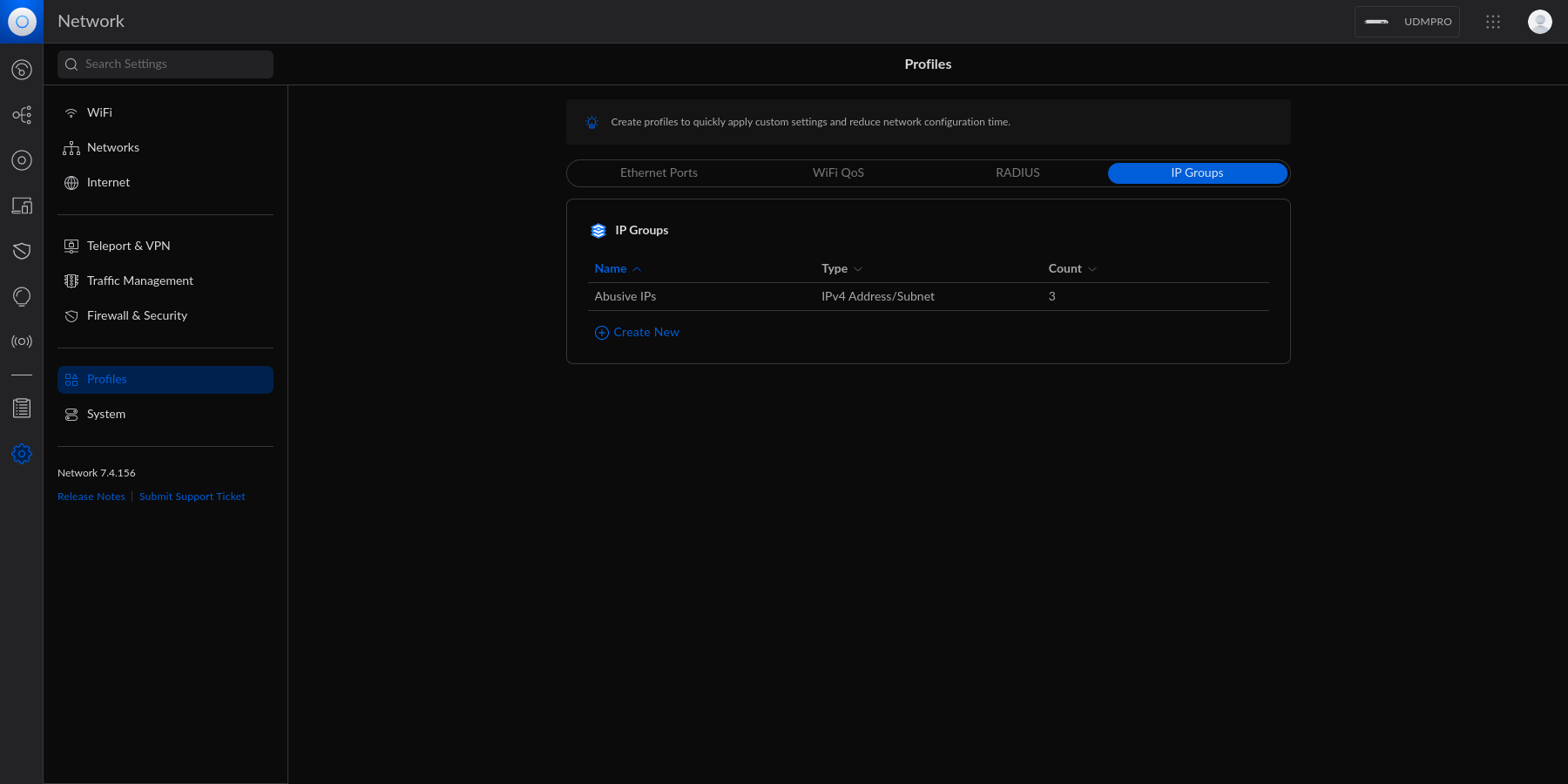 - Each IP Group profile can be used as one of three options: 1. Port Group @@ -46,9 +41,6 @@ In this example, I'm creating an IPv4 Address/Subnet group and adding a few different IP addresses and a subnet. Once you've added all IP addresses and subnets, click the `Apply` button that should appear at the bottom. -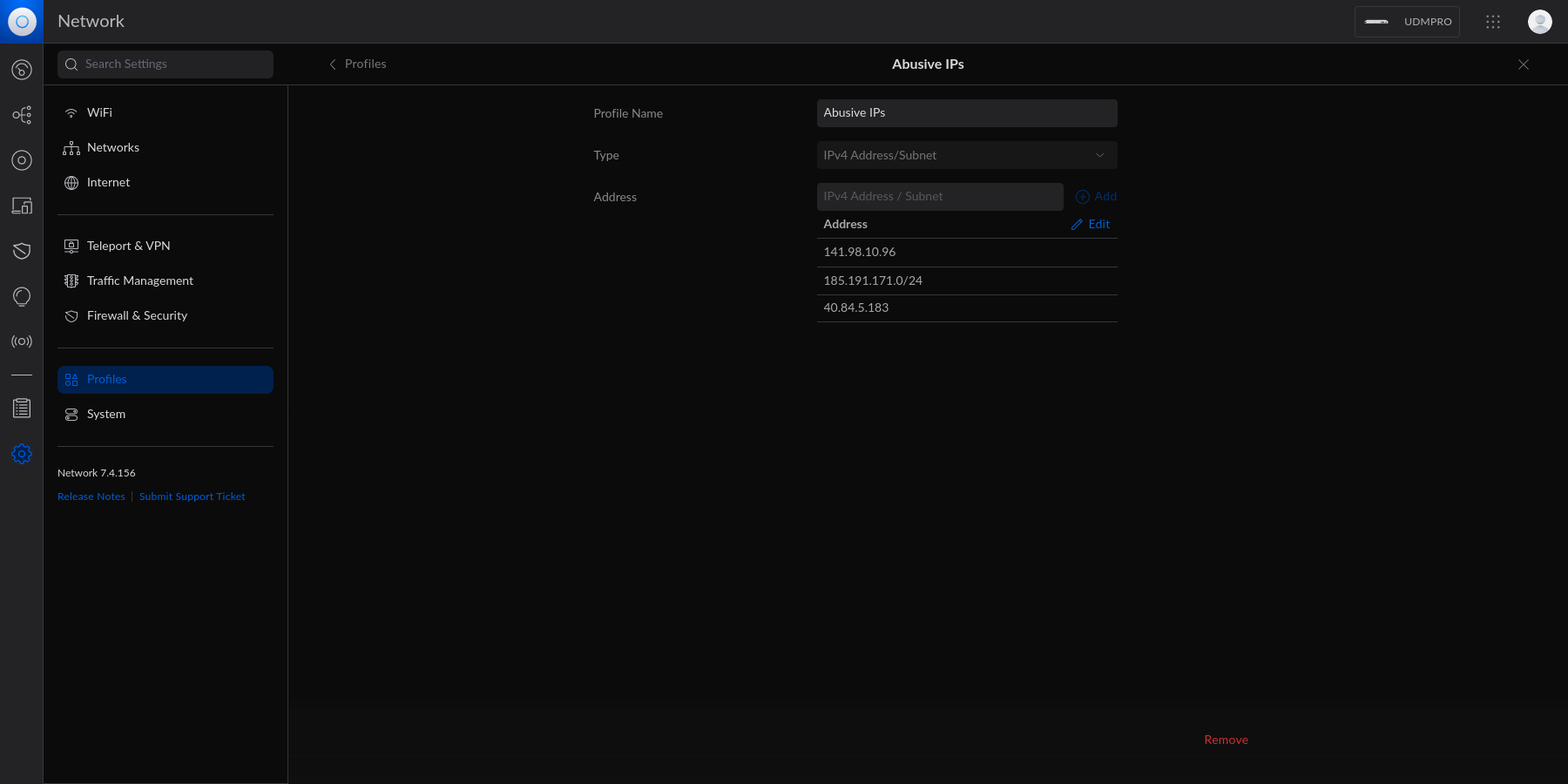 - At this point, the IPv4 Address/Subnet has been created but not yet used. # Drop IP Group Profile via the Unifi Firewall @@ -69,9 +61,6 @@ entry should contain the following settings: Customize the remaining configurations to your liking, and then save and enable the firewall rule. -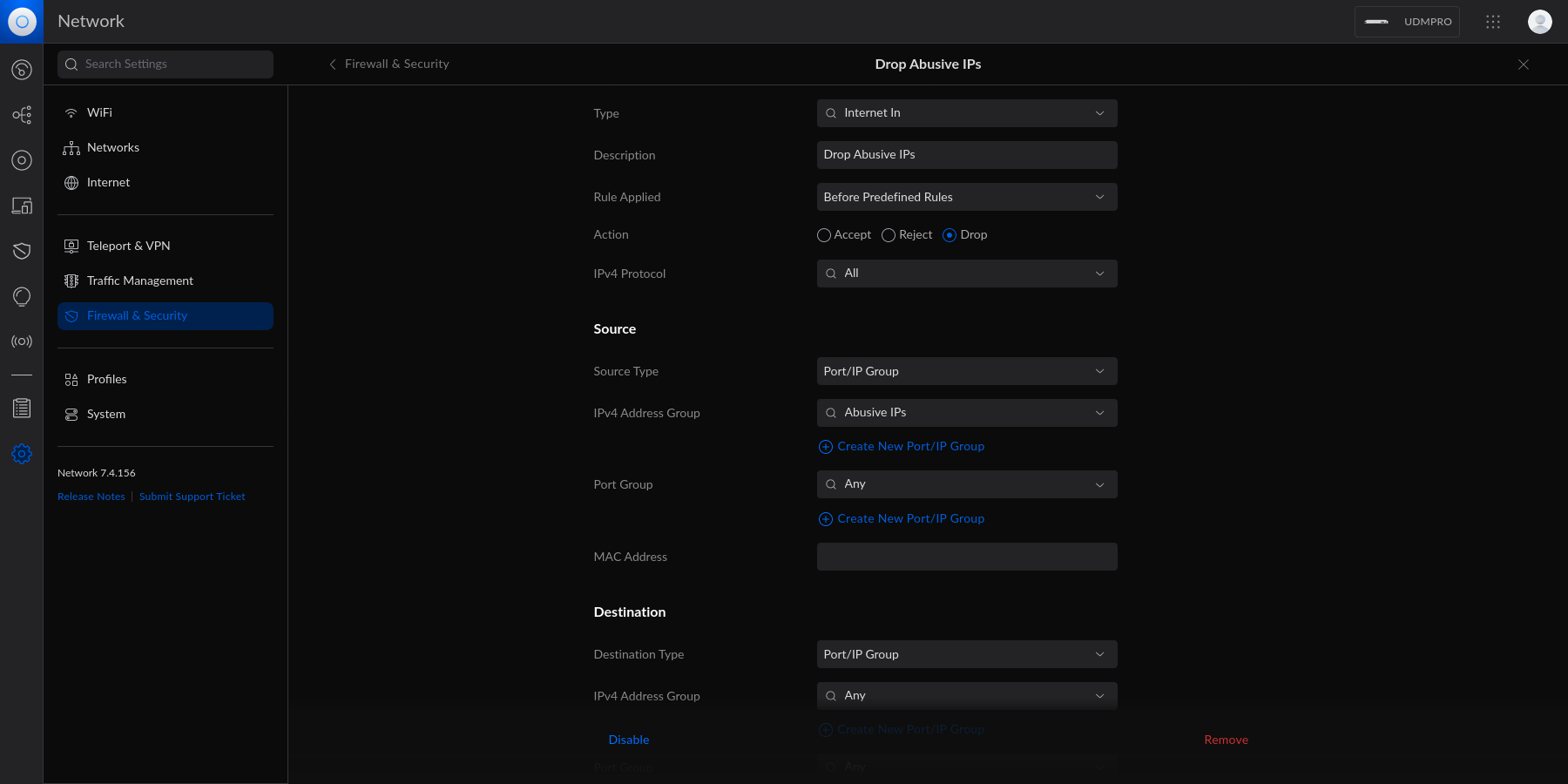 - Once enabled, the Unifi machine will be able to drop all incoming connections from the defined IP addresses and subnets within the created profile. |