1
2
3
4
5
6
7
8
9
10
11
12
13
14
15
16
17
18
19
20
21
22
23
24
25
26
27
28
29
30
31
32
33
34
35
36
37
38
39
40
41
42
43
44
45
46
47
48
49
50
51
52
53
54
55
56
57
58
59
60
61
62
63
64
65
66
67
68
69
70
71
72
73
74
|
+++
date = 2023-10-15
title = "SSH Hardening for Alpine Linux"
description = "A quick guide to harden SSH configuration on Alpine."
+++
## Overview
This guide follows the standard
[ssh-audit](https://www.ssh-audit.com/hardening_guides.html) hardening
guide, tweaked for Alpine Linux.
## Hardening Guide
These steps must be performed as root. You can try to use
`doas` or `sudo`, but there may be issues.
1. Re-generate the RSA and ED25519 keys
```sh
rm /etc/ssh/ssh_host_*
ssh-keygen -t rsa -b 4096 -f /etc/ssh/ssh_host_rsa_key -N ""
ssh-keygen -t ed25519 -f /etc/ssh/ssh_host_ed25519_key -N ""
```
2. Remove small Diffie-Hellman moduli
```sh
awk '$5 >= 3071' /etc/ssh/moduli > /etc/ssh/moduli.safe
mv /etc/ssh/moduli.safe /etc/ssh/moduli
```
3. Enable the RSA and ED25519 HostKey directives in the
/etc/ssh/sshd~config~ file
```sh
sed -i 's/^\#HostKey \/etc\/ssh\/ssh_host_\(rsa\|ed25519\)_key$/HostKey \/etc\/ssh\/ssh_host_\1_key/g' /etc/ssh/sshd_config
```
4. Restrict supported key exchange, cipher, and MAC algorithms
```sh
echo -e "\n# Restrict key exchange, cipher, and MAC algorithms, as per sshaudit.com\n# hardening guide.\nKexAlgorithms [email protected],curve25519-sha256,[email protected],diffie-hellman-group16-sha512,diffie-hellman-group18-sha512,diffie-hellman-group-exchange-sha256\nCiphers [email protected],[email protected],[email protected],aes256-ctr,aes192-ctr,aes128-ctr\nMACs [email protected],[email protected],[email protected]\nHostKeyAlgorithms ssh-ed25519,[email protected],[email protected],[email protected],rsa-sha2-512,[email protected],rsa-sha2-256,[email protected]" > /etc/ssh/sshd_config.d/ssh-audit_hardening.conf
```
5. Include the /etc/ssh/sshd~config~.d directory
```sh
echo -e "Include /etc/ssh/sshd_config.d/*.conf" > /etc/ssh/sshd_config
```
6. Restart OpenSSH server
```sh
rc-service sshd restart
```
## Testing SSH
You can test the results with the `ssh-audit` python script.
```sh
pip3 install ssh-audit
ssh-audit localhost
```
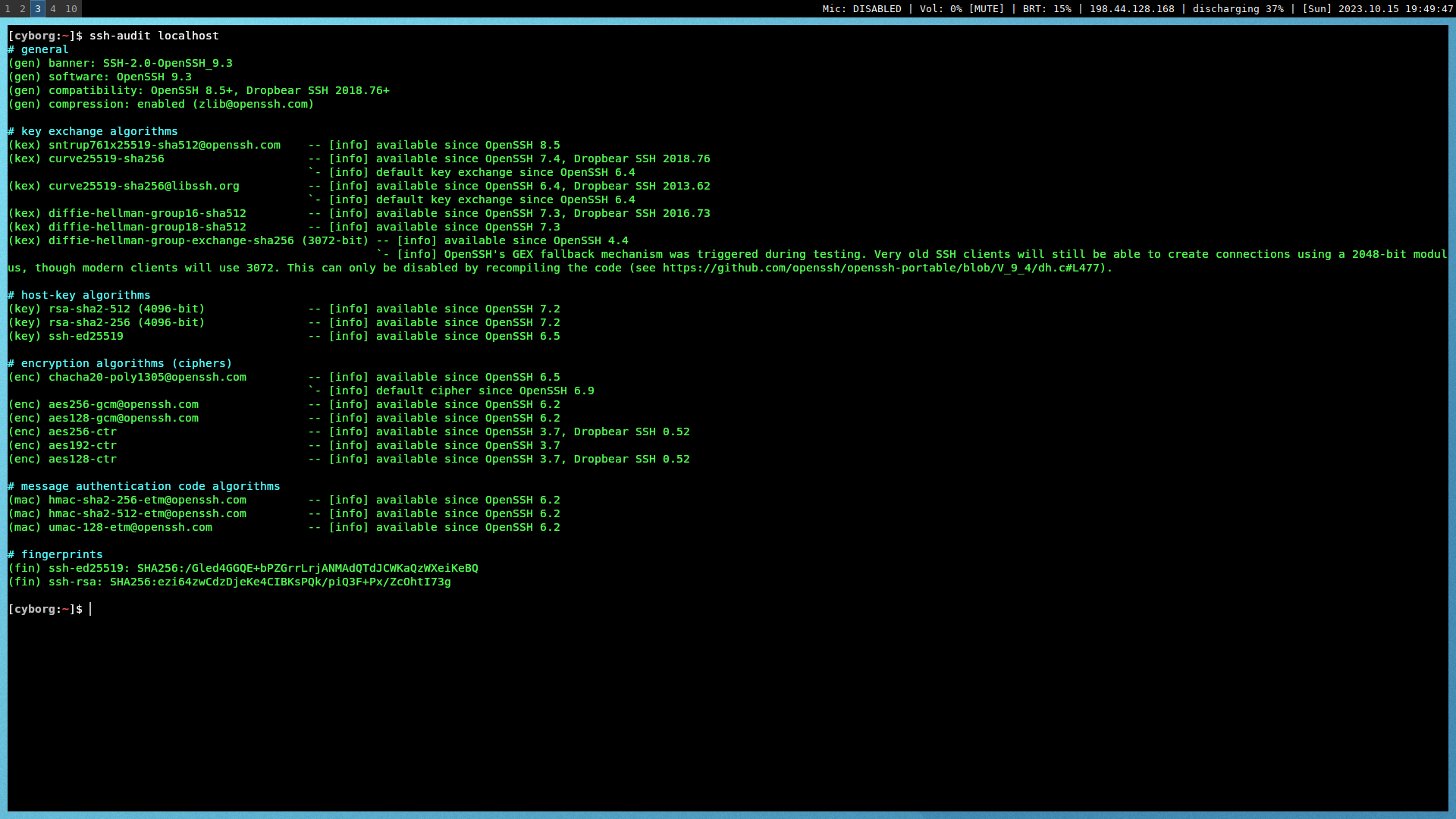
If everything succeeded, the results will show as all green. If anything
is yellow, orange, or red, you may need to tweak additional settings.
```txt
#+caption: ssh audit
```
|
